Synamedia
Synamedia supports Axinom DRM through the vDCM Product line (packager and JITP), push and pull mode. Synamedia Quortex Play (SaaS platform) does support Axinom as well.
For key acquisition vDCM products use the SPEKE v2 protocol.
Prerequisites
To use Axinom DRM:
- Register on the Axinom Portal
- Start a free trial
- To connect an external packager/encoder, create a service account for your Mosaic environment in the Admin Portal and grant it the Admin permission of the DRM Service, as described in Key Service Management API Authorization.
- You will need the following information:
- Client ID of the service account (a UUID)
- Client Secret of the service account
- SPEKE V2 endpoint URL (https://key-server-management.axprod.net/api/SpekeV2)
- As a fallback, for example if your DRM configuration was created in Axinom Portal, use your Key Service Tenant ID and Key Service Management Key in place of the Client ID and Client Secret.
- Once you are ready to go to production, upgrade your Axinom account to a paid plan.
For later playback you will also need:
- Communication Key ID
- Communication Key (can be revealed under My Mosaic / DRM using the License Service Management Key)
Configuration in Synamedia vDCM
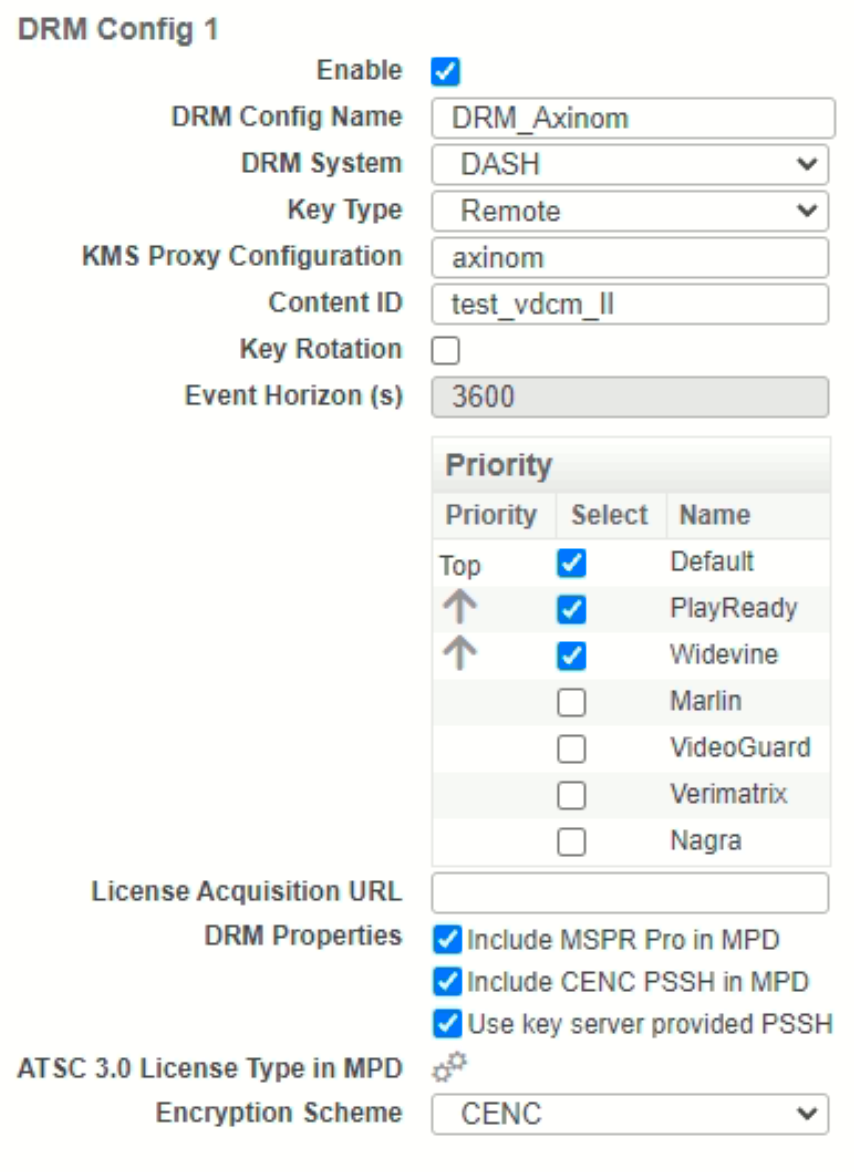
Below sample configuration is illustrated through the vDCM.
{
    "axinom": {
        "name": "axinom",
        "properties": {
            "keyAcquisition": {
                "authorityServiceUri": "https://key-server-management.axprod.net/api/SpekeV2",
                "userName": "<Client ID>",
                "passPhrase": "<Client Secret>"
            }
        },
        "tracks": [
            {"type": "SD"}
        ],
        "type": "cpixf",
        "drmTypes": [
            {
                "drmType": "widevine",
                "encryptionScheme": "cenc",
                "drmServiceUri": "https://key-server-management.axprod.net/api/SpekeV2",
            },
            {
                "drmType": "playready",
                "encryptionScheme": "cenc",
                "drmServiceUri": "https://key-server-management.axprod.net/api/SpekeV2",
            },
            "AXINOM"
        ],
        "provider": "spekev2",
        "requestMimeType": "application/json"
    }
}
Enter the Client ID of your service account as userName and its Client Secret as passPhrase.
As a fallback, use your Key Service Tenant ID and Key Service Management Key.
Testing Playback
Once you have produced a DRM-protected video or stream, you can test the playback using Axinom’s DRM Video Playback tool. Hints for filling out the form:
- Video Source URL: the URL of the generated manifest file, e.g.,
https://your-server/manifest.mpd - Content Keys: the Key ID (CPIX KID) you have generated and used in the encoding process. You don’t need to specify the key value (you don’t even have it)
- Communication Key and Communication Key ID: The values you received from Axinom DRM configuration (see the prerequisites above)
- License Service: keep defaults (or enter the value you received from Axinom DRM configuration)
- Player: pick any