Let AI Agents Work with Your Mosaic Data

Editors can now hand work to an AI agent: describe the outcome in your own words, and the agent works out how to reach it in your environment. The agent works with your Mosaic environment as you, across the management APIs of all its managed and custom services, limited to the permissions you grant. This works with AI agents that run commands on your computer and use skills, such as Claude Code, Claude Desktop or Codex, through the new Mosaic CLI and its skill.
Describe the Outcome, the Agent Does the Work
The Management System remains the place for everyday editorial work, with its explorers, filters and detail pages. An agent gets the work around it done faster: tasks across several services, bulk changes, reports, integrations, and tasks that have no screen yet or take many steps there. You can check everything the agent does in the Management System.
Create a "Christmas Movie Nights" collection with all our Christmas movies, with this cover image and a festive two-sentence synopsis, translate it into German, and publish it once I've had a look.
The agent reads the movies from the Media Service, uploads the cover to the Image Service, saves the translations in the Localization Service, and shows you the result before it publishes. Other tasks are just as quick to ask:
- Enrich content: "Upload the posters in ./posters as the covers of the movies with the same titles, and show me the matches first."
- Translate: "Which published movies have no German title yet? Translate their titles and synopses and mark them for review."
- Find gaps: "Which published movies have no German title, and which of them have a license that ends this month?"
- Update in bulk: "Add the tag 'classic' to all movies released before 1990, after I approve the list."
- Clean up: "Unpublish and delete the movies whose licenses have all ended, after I approve the list."
- Review access: "Which users have the Administrator role, and which roles can publish content?"
You Stay in Control
The agent can only do what you allow:
-
You grant the permissions. When you sign in, you select the permissions the agent gets, and it never sees your password.
-
You approve the changes. The skill teaches the agent to confirm the environment first, and to ask before it deletes or overwrites data you didn't clearly ask for. For bulk changes, ask it to show you the list first.
-
Changes are attributed. Everything the agent changes shows you and the Mosaic CLI as the editor, for example
Thomas Anderson (via Mosaic CLI). -
Administrators decide which applications may connect. They add the Mosaic CLI in the Management System under Settings > Access Management > OAuth Clients, and disabling it there ends all its sessions.
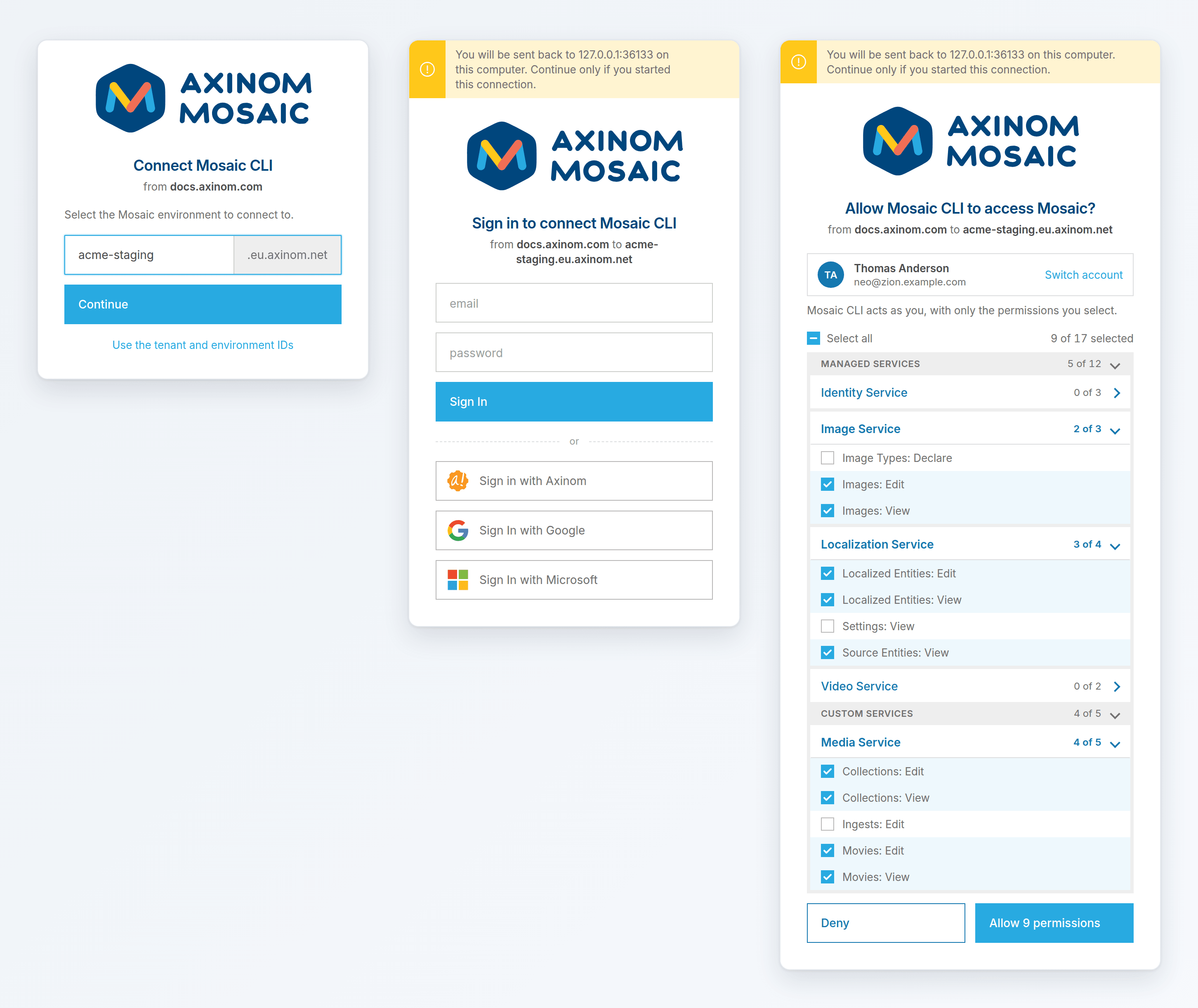
You can work with several environments, for example staging and production, each signed in under its own name.
Get Started
-
An administrator adds the Mosaic CLI to the OAuth clients of your environment.
-
Install the CLI and its skill, and sign in:
npm install --global @axinom/mosaic-climosaic skills install --globalmosaic env login --name acme-staging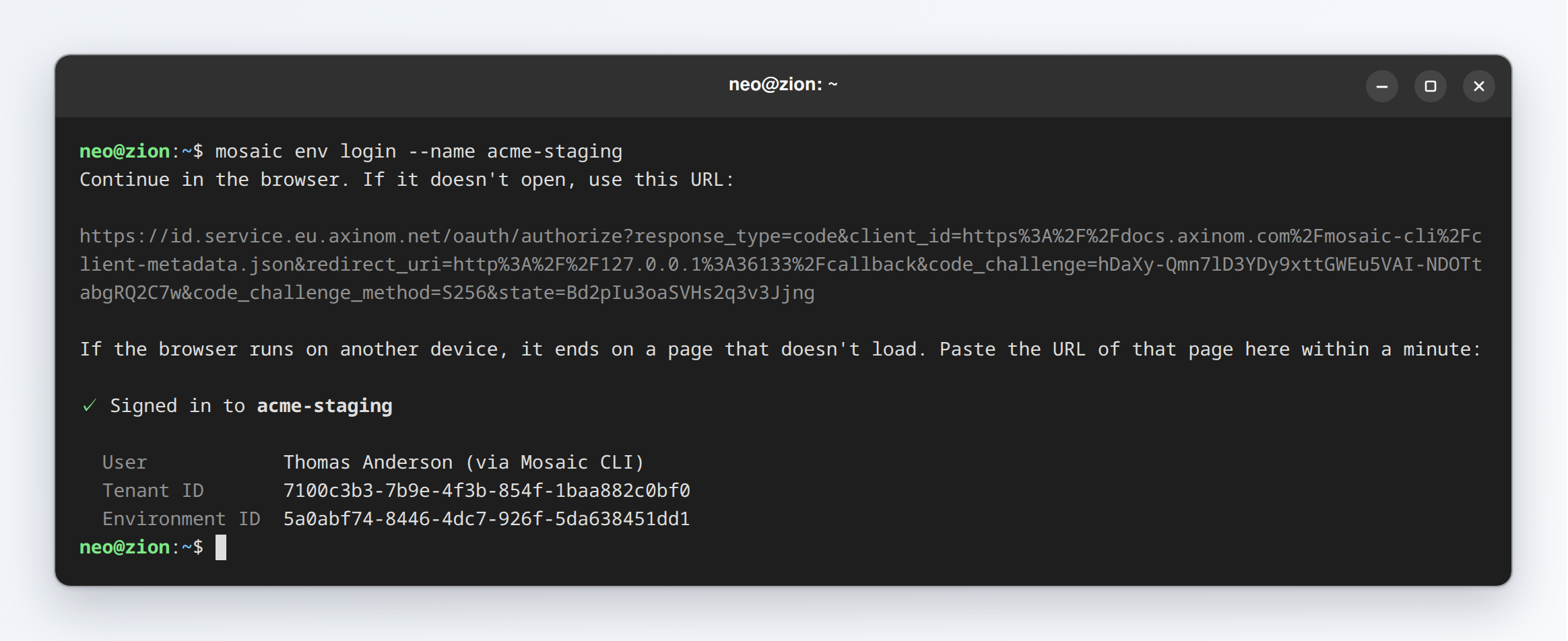
-
Ask your agent: "Which Mosaic environment are you working on, and what can you do there?"
The guide Manage Data with AI Agents walks through the setup and the use cases. Behind the CLI, the Identity Service is now an OAuth 2.1 authorization server, which other applications such as API tools can use as well; see OAuth 2.1 Authorization Server and Manage OAuth Clients.